

Step 6 - Application Summary and Application Submission (If choosing to sign the “Declaration Form” digitally)
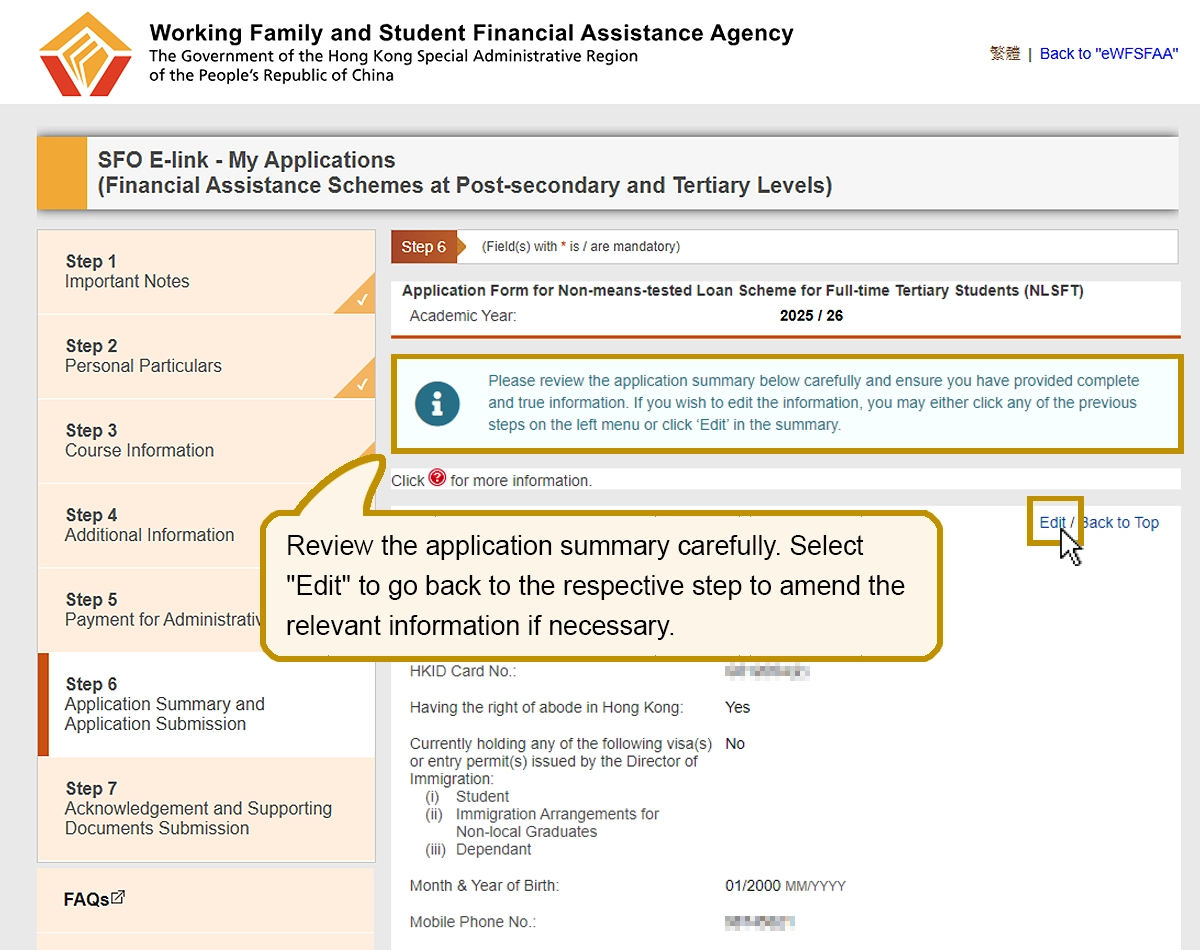
Review the application summary carefully. Select “Edit” to go back to the respective step to amend the relevant information if necessary.
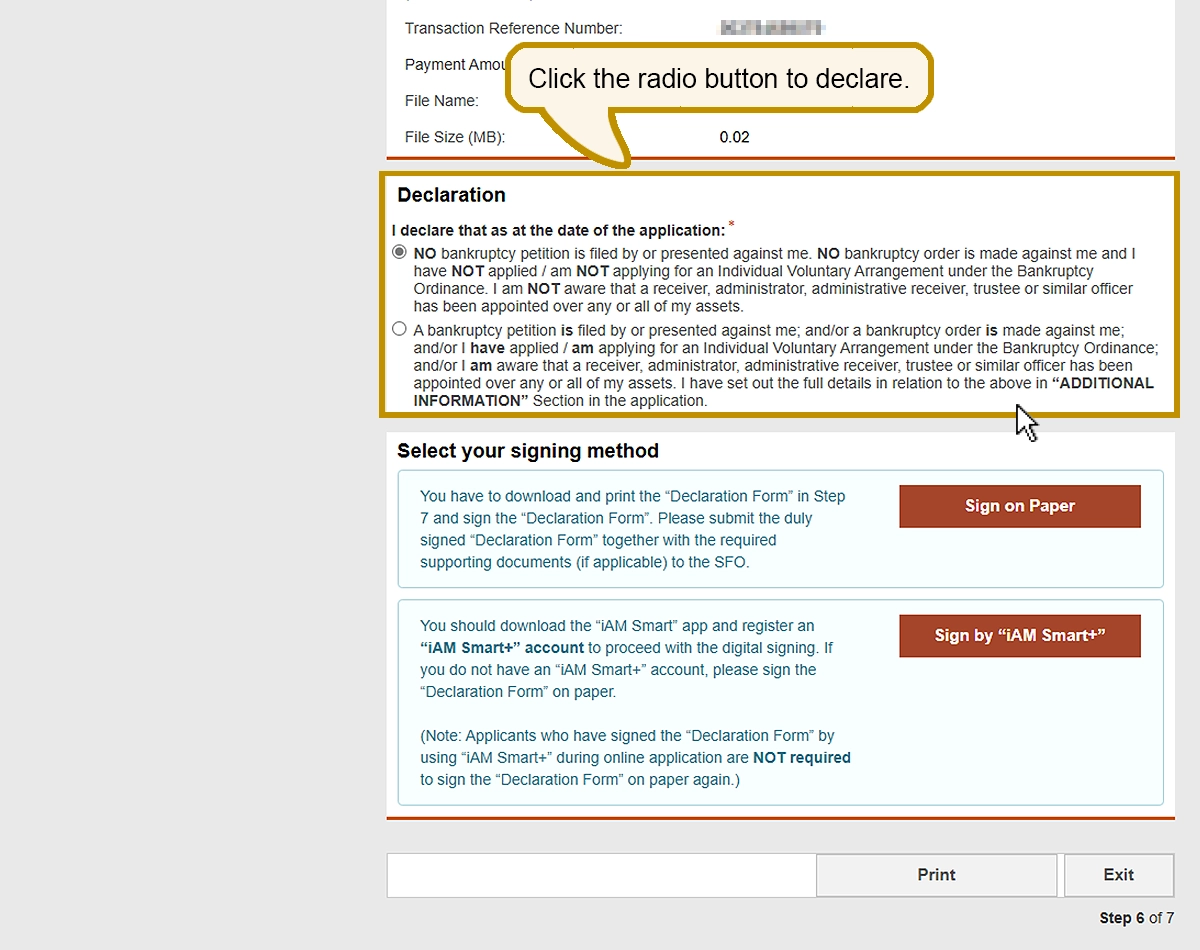
Click the radio button to declare.
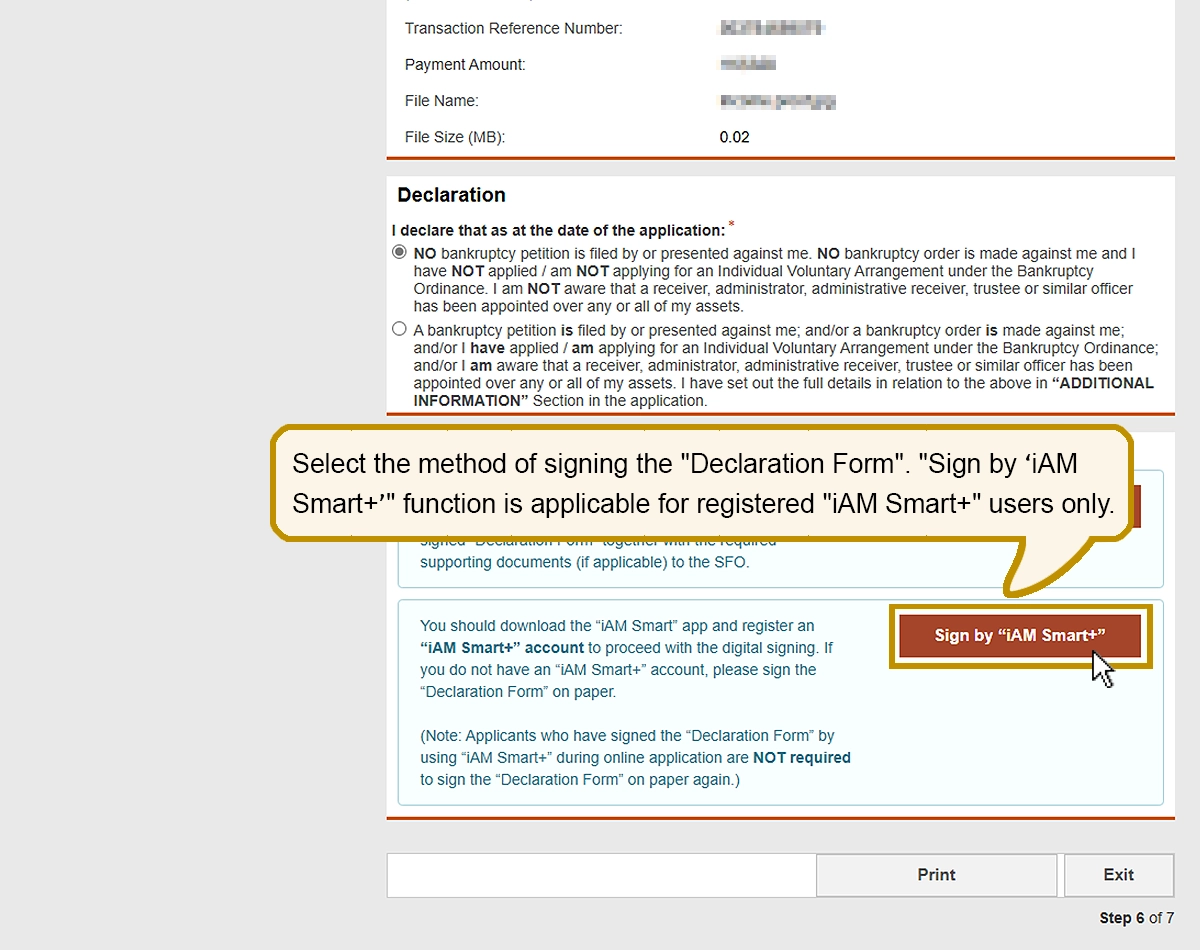
Select the method of signing the “Declaration Form”. “Sign by ‘iAM Smart+’” function is applicable for registered “iAM Smart+” users only.
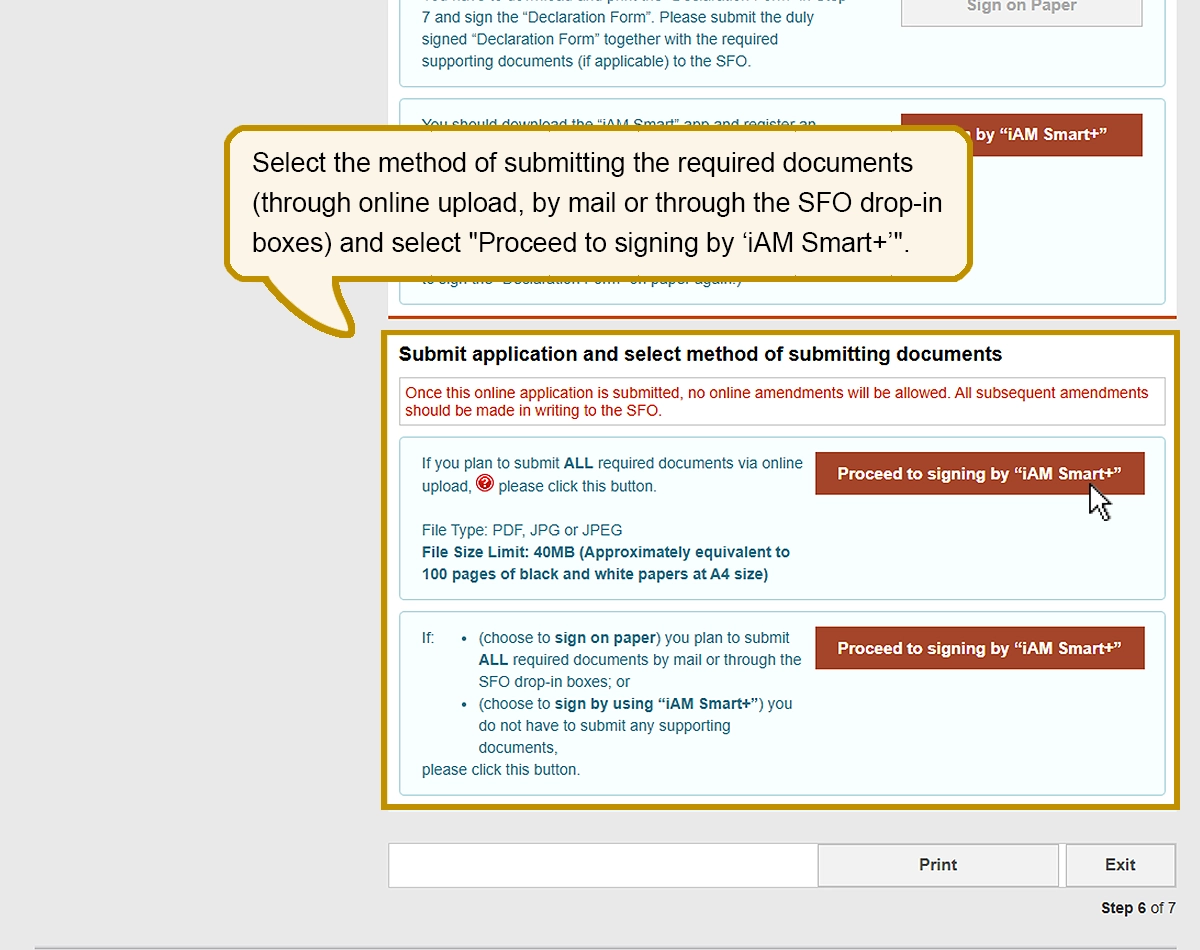
Select the method of submitting ALL required documents (through online upload, by mail or through the SFO drop-in boxes) and select “Proceed to signing by ‘iAM Smart+’”.
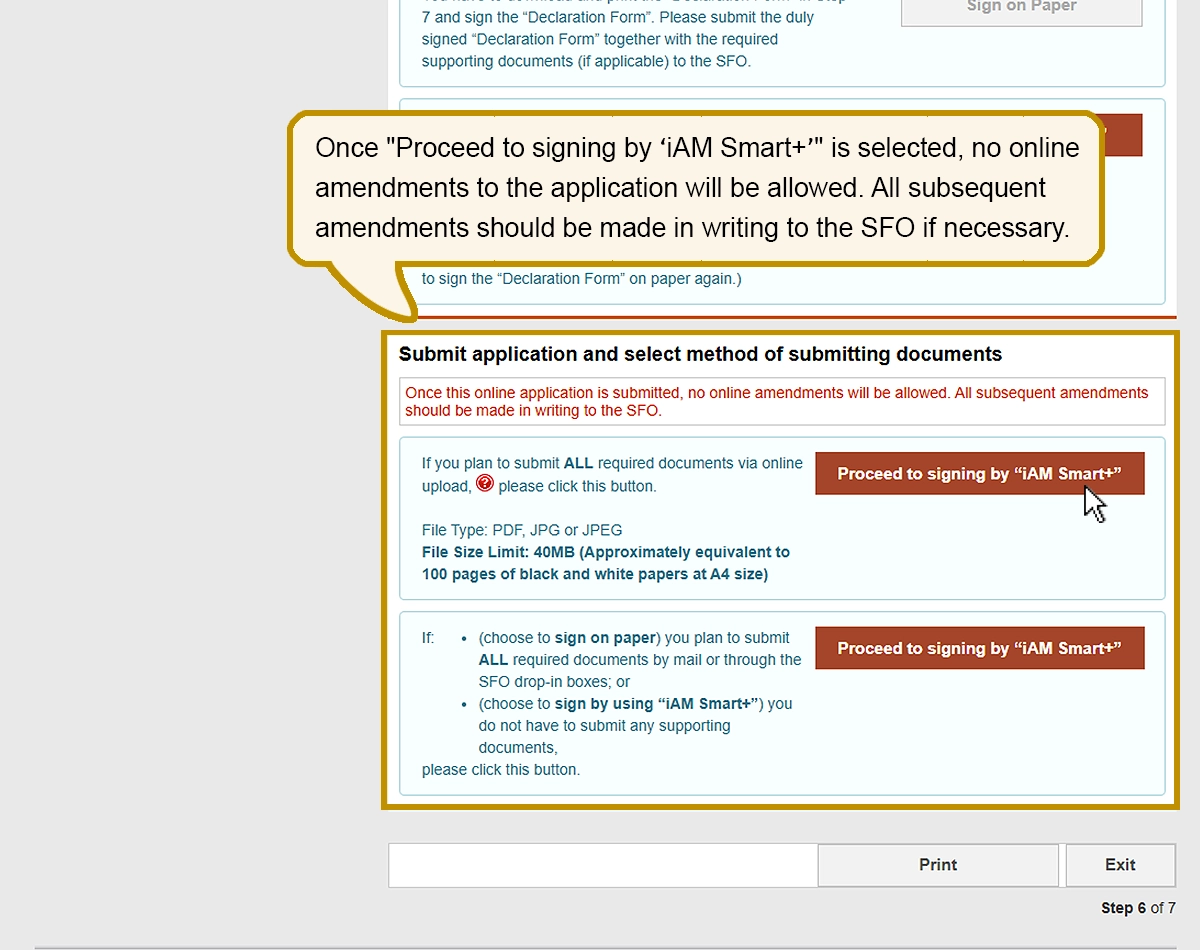
Once the online application is submitted, no online amendments will be allowed. All subsequent amendments should be made in writing to the SFO.
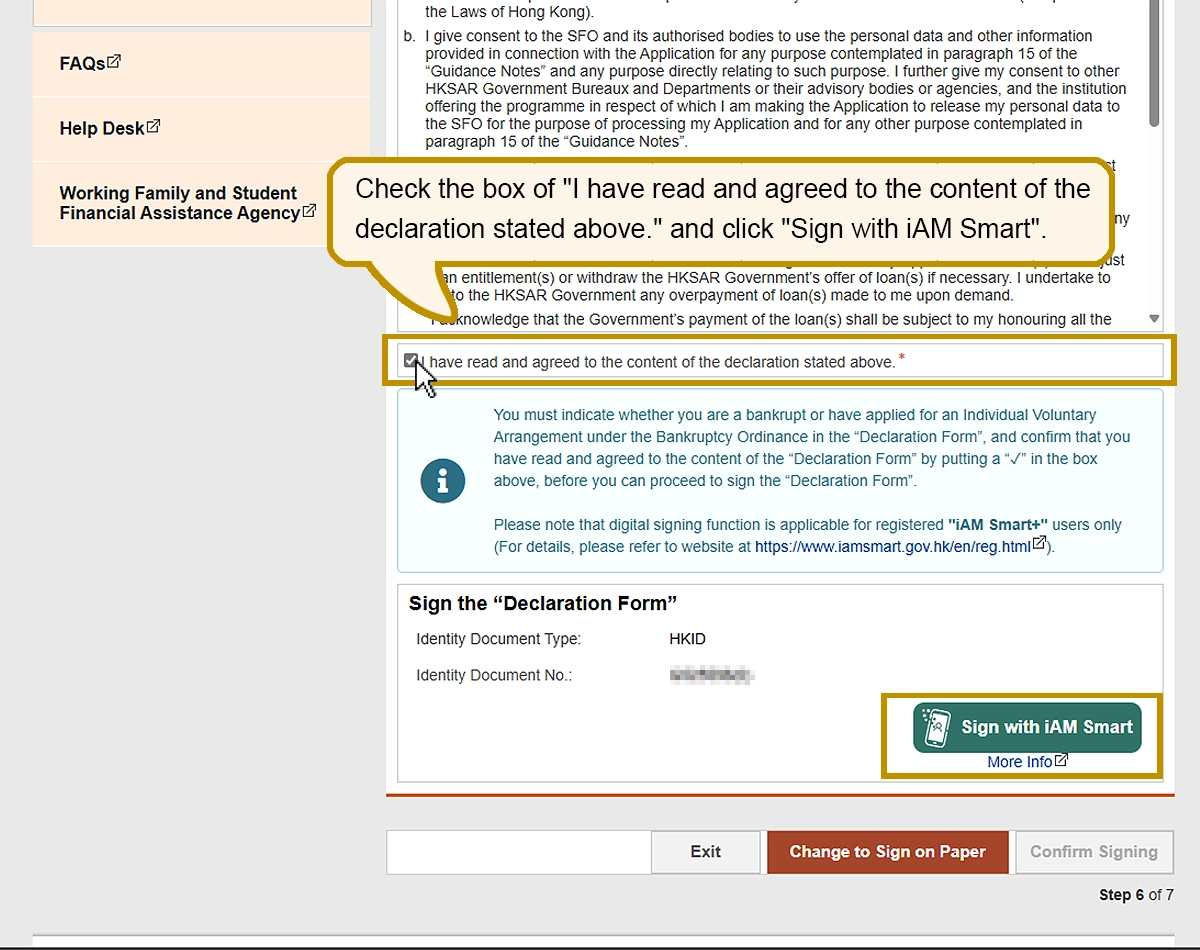
Check the box of “I have read and agreed to the content of the declaration stated above.” and click “Sign with iAM Smart”.
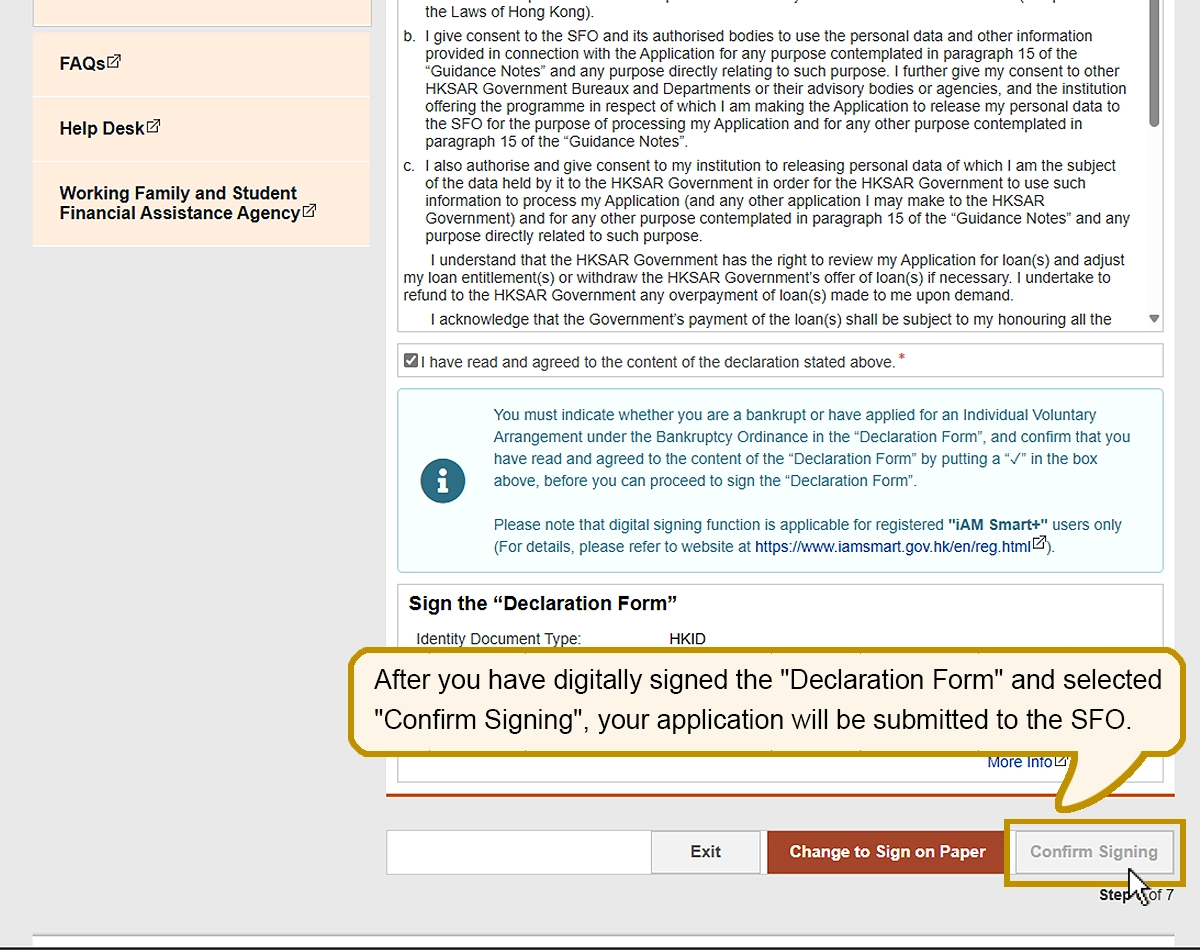
After you have digitally signed the “Declaration Form” and selected “Confirm Signing”, your application will be submitted to the SFO.
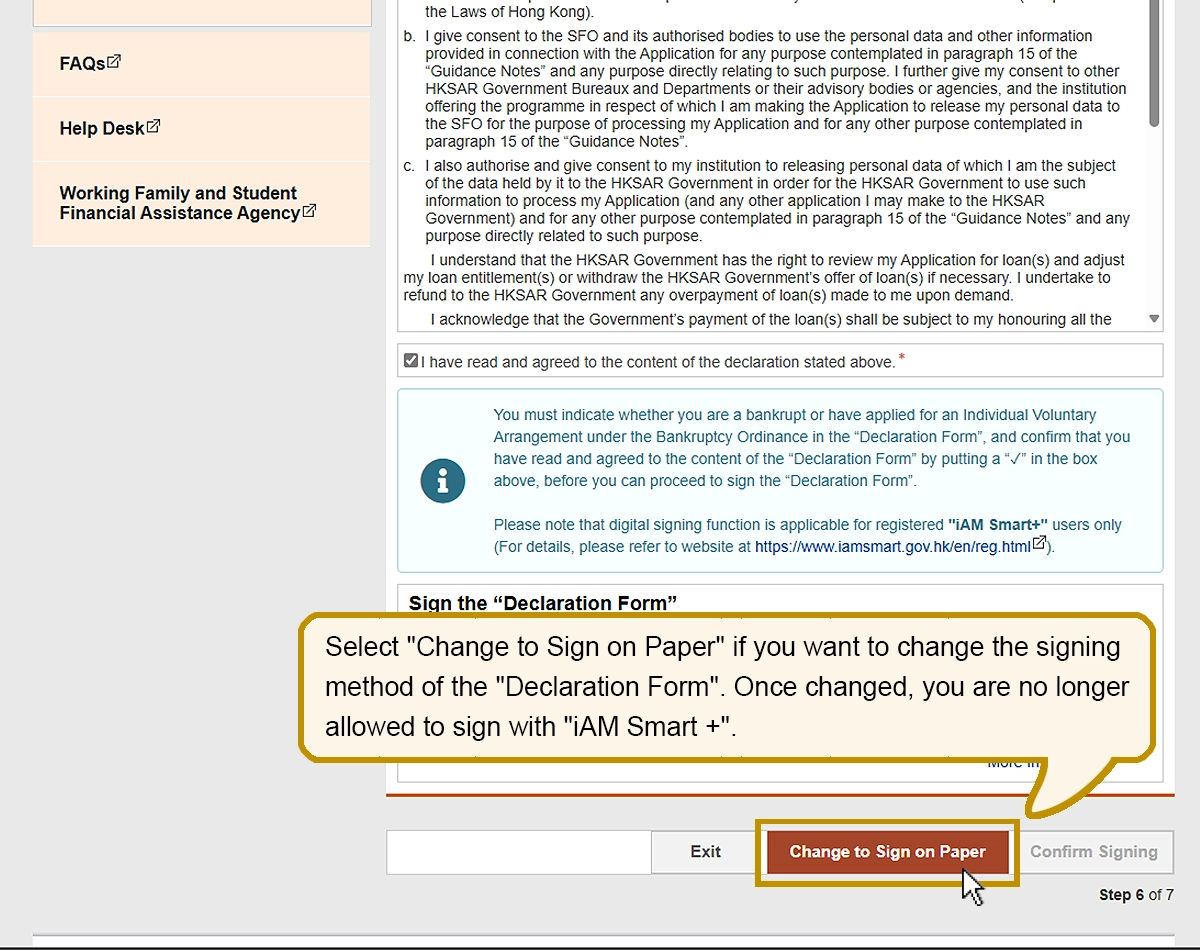
Select “Change to Sign on Paper” if you want to change the signing method of the “Declaration Form”. Once changed, you are no longer allowed to sign with “iAM Smart +”.