

Submit Declaration (if choosing to sign on paper) and the Required Supporting Documents Online
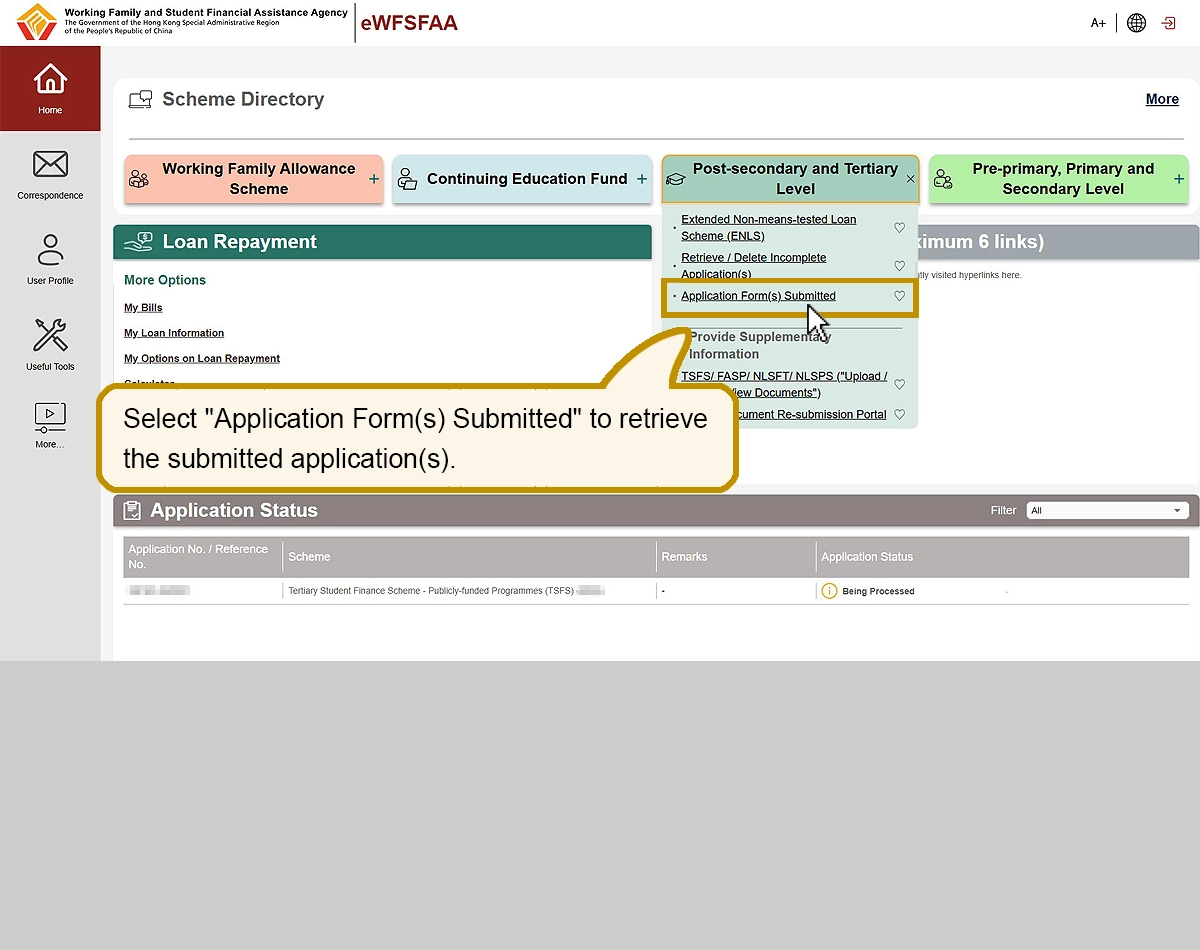
Select “Application Form(s) Submitted” to retrieve the submitted application(s).
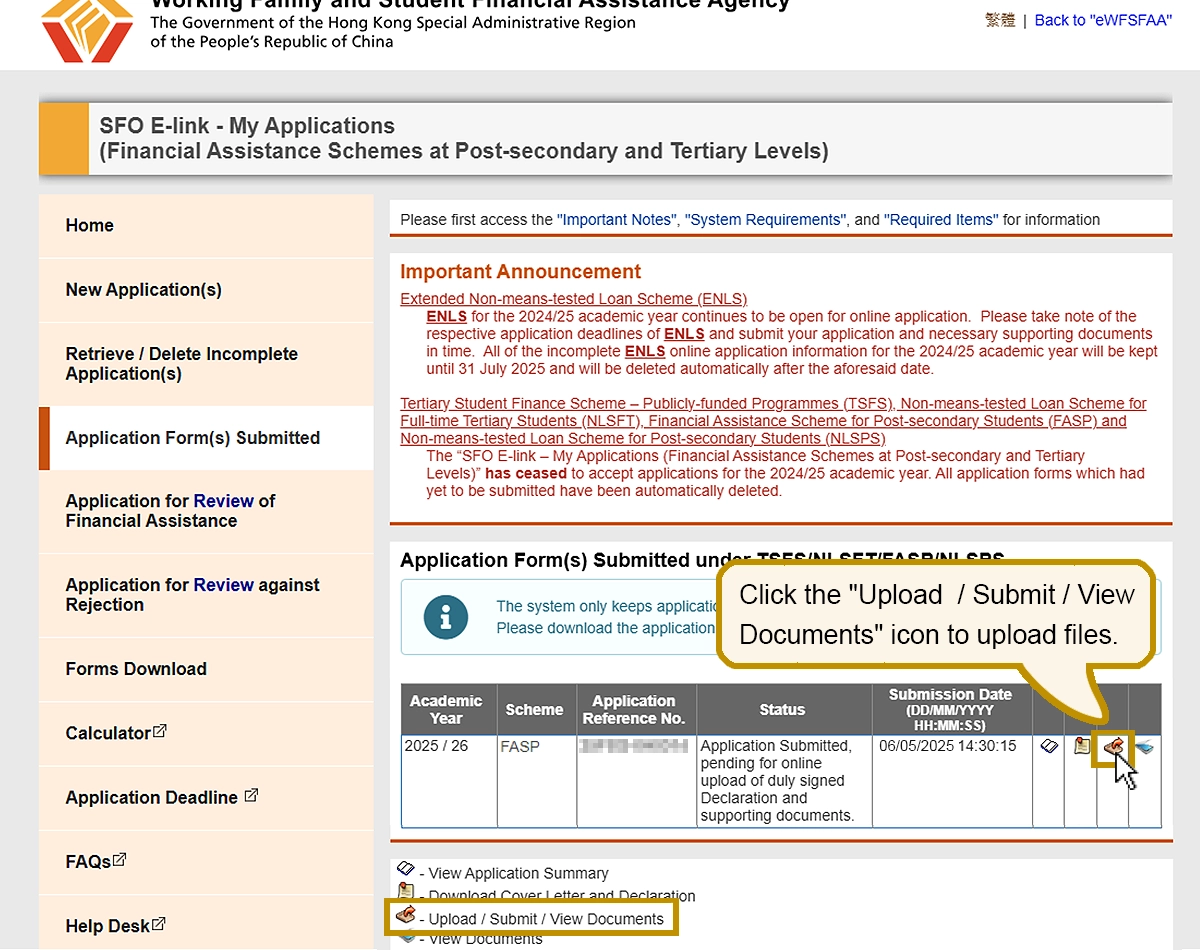
Click the “Upload / Submit / View Documents” icon to upload files.
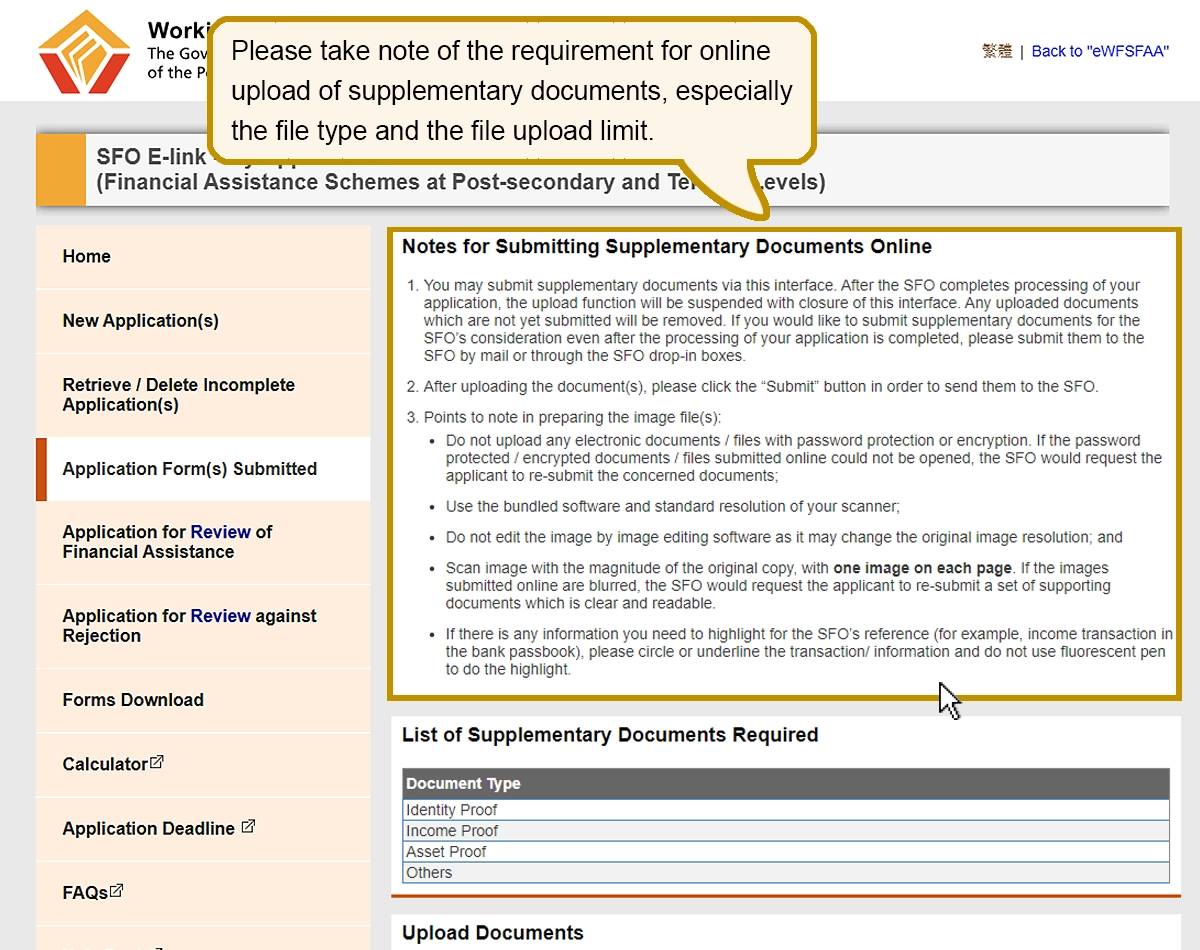
Please take note of the requirement for online upload of documents, especially the file type and the file upload limit.
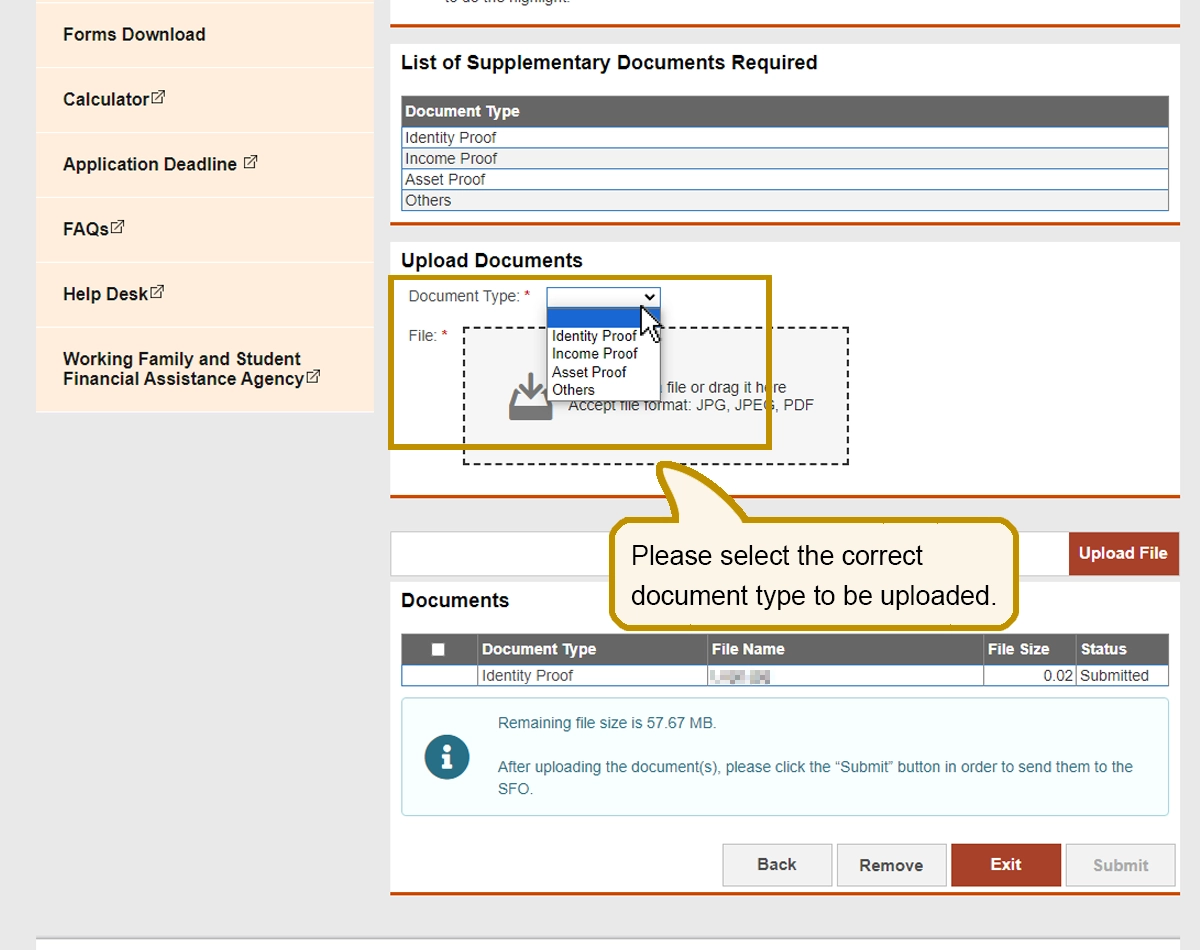
Please select the correct document type to be uploaded.
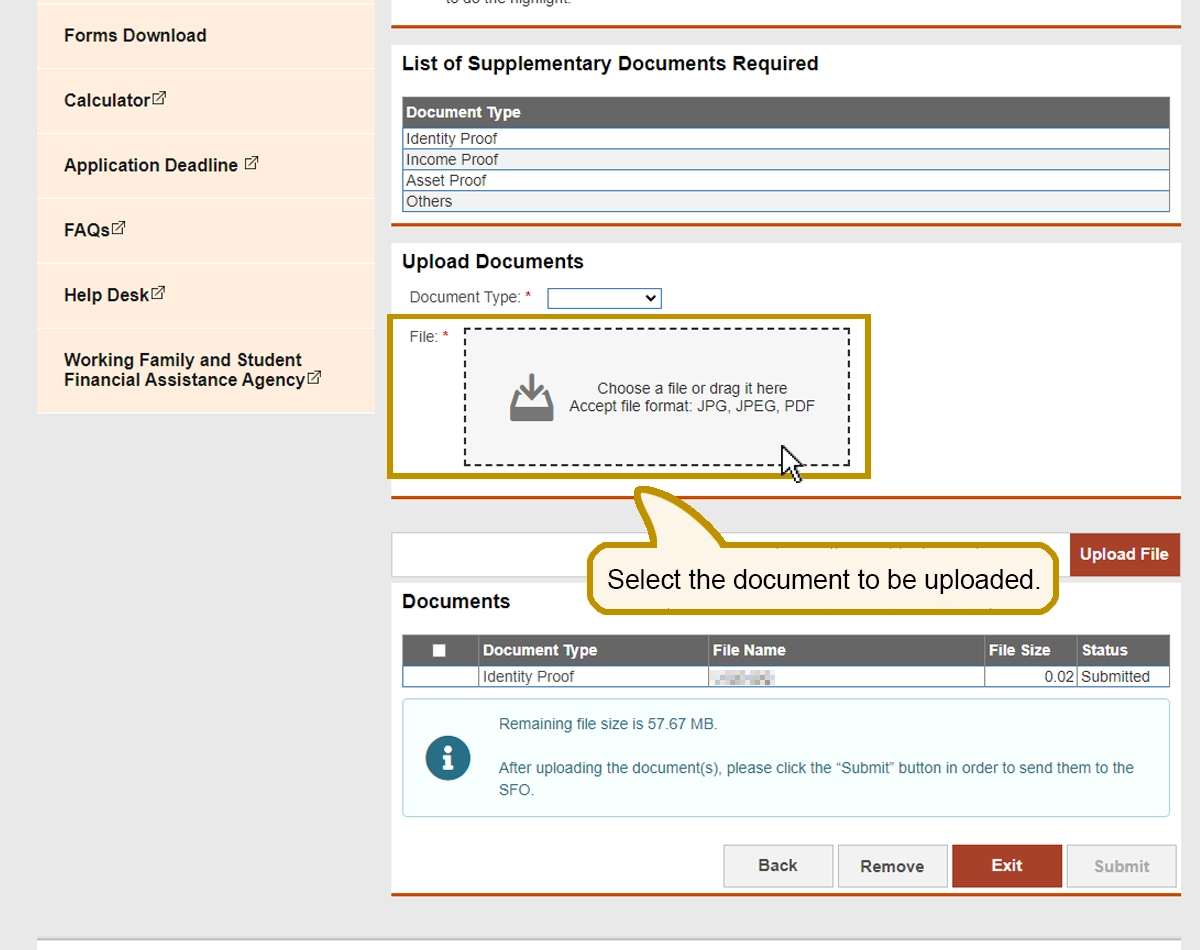
Select the document to be uploaded.
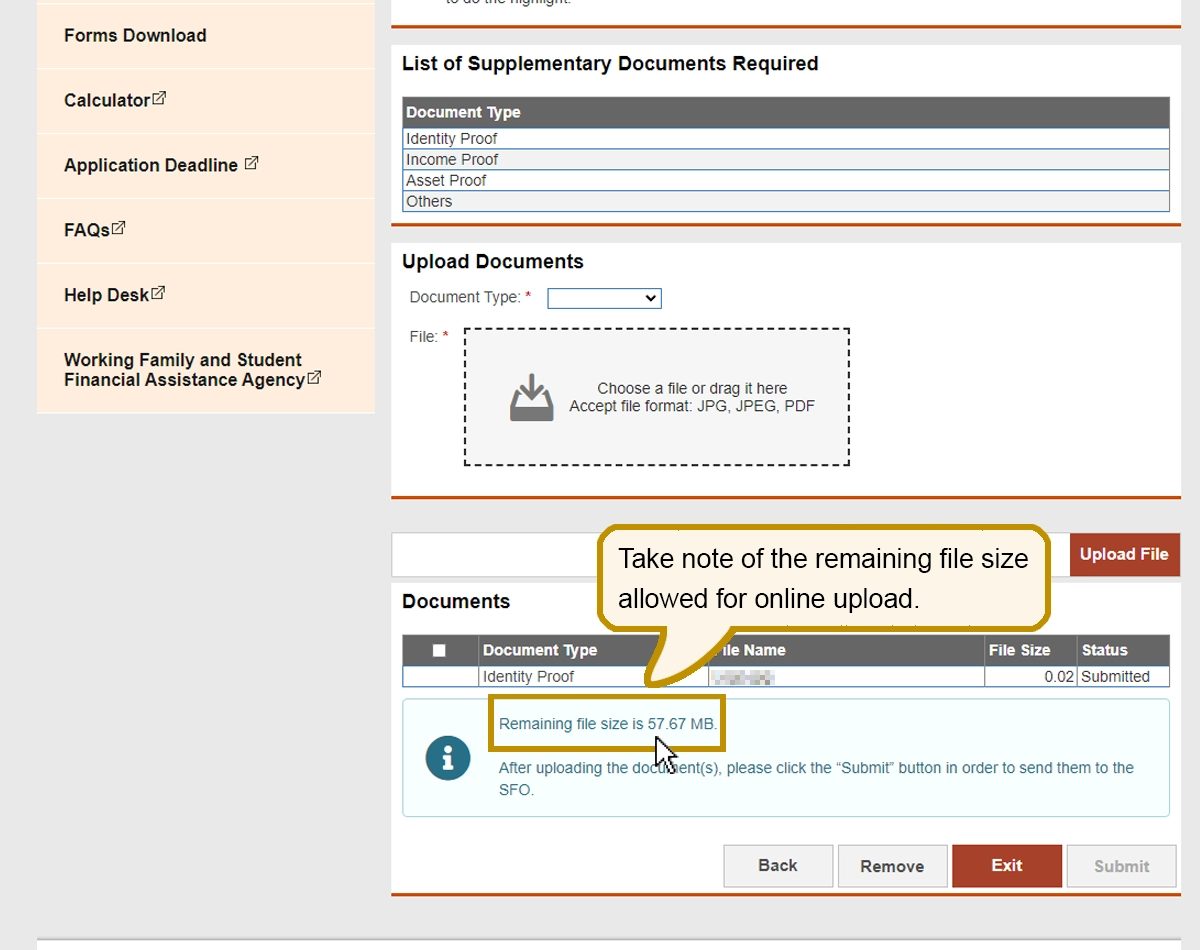
Take note of the remaining file size allowed for online upload.
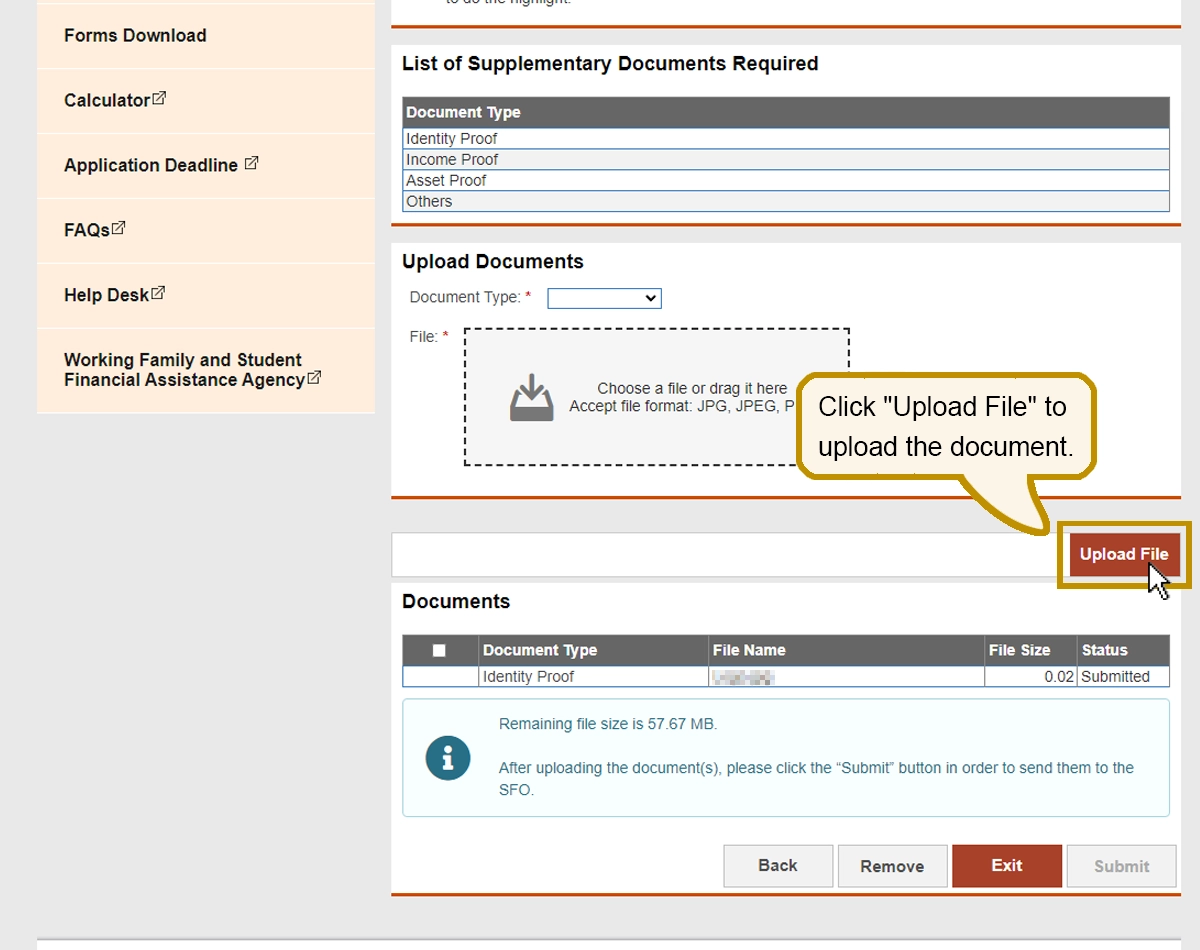
Click “Upload File” to upload the document.
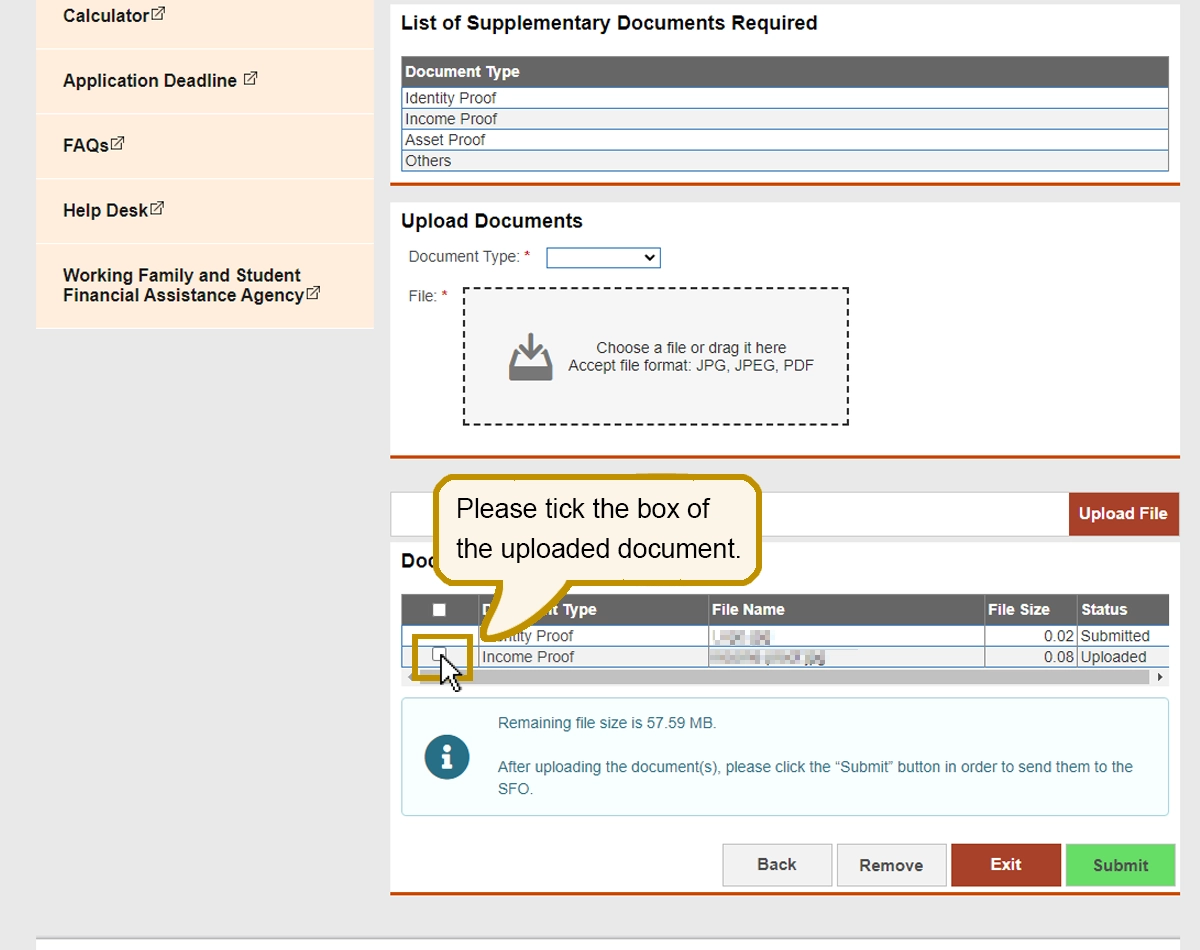
After uploading of the documents, please click “Submit” button to submit the uploaded documents to SFO.
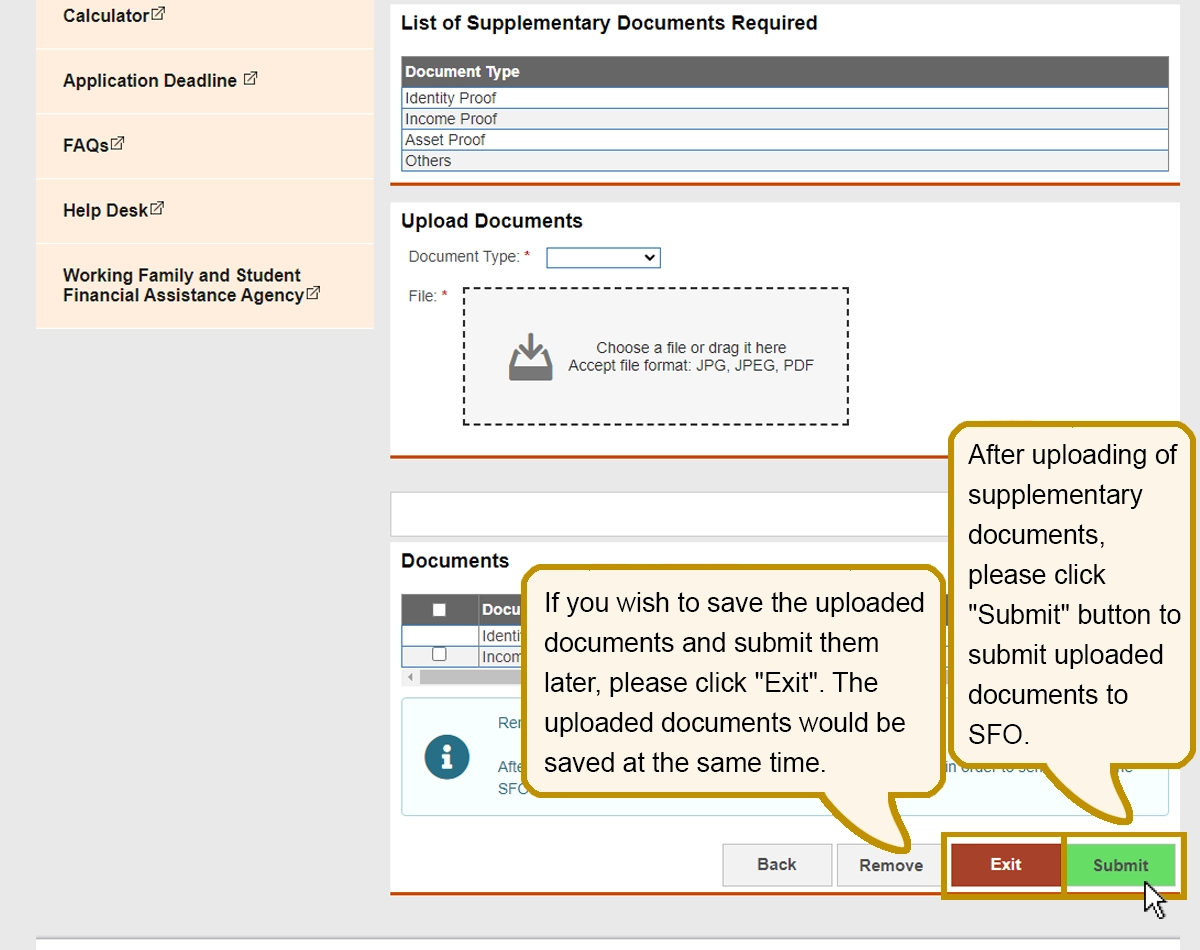
If you wish to save the uploaded documents and submit them later, please click “Exit”. The uploaded documents would be saved at the same time.
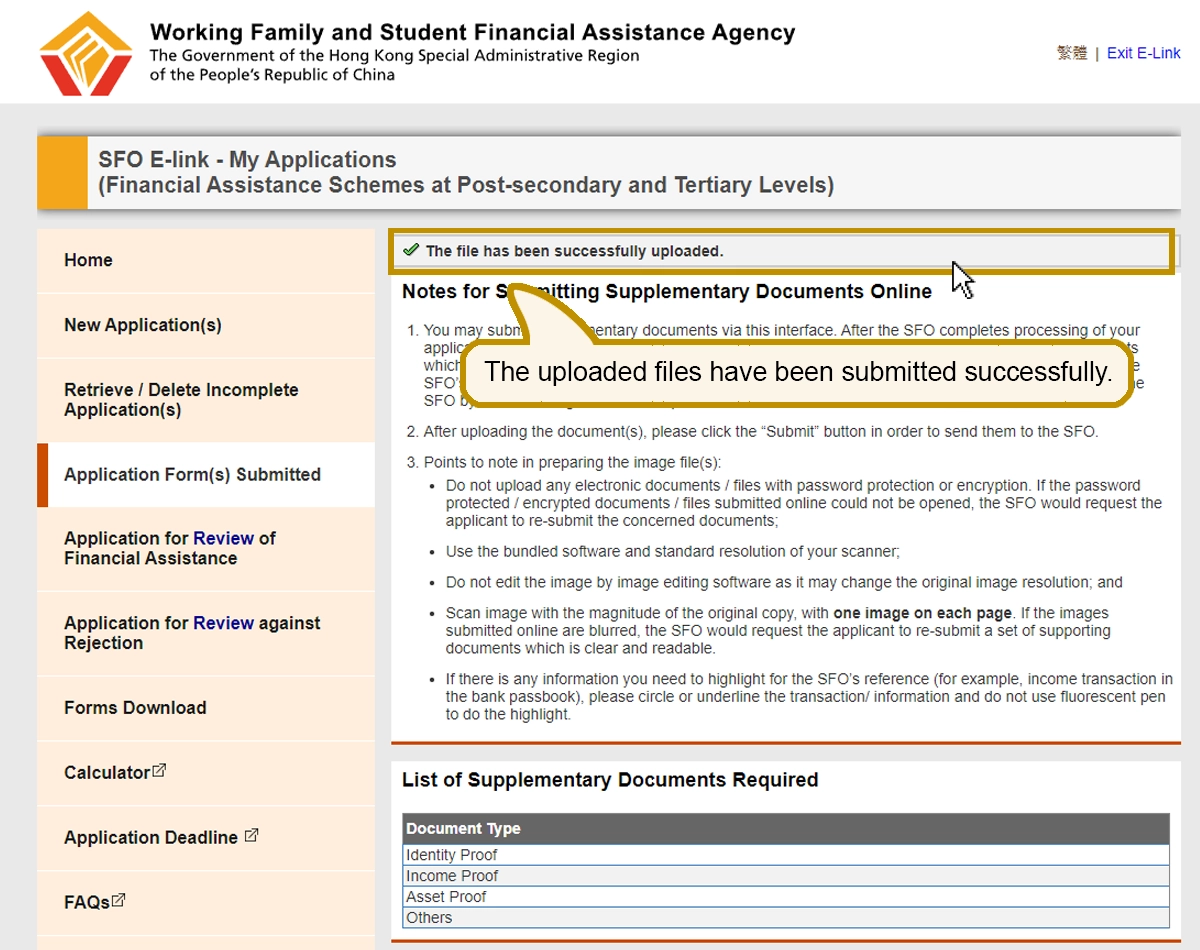
The uploaded files have been submitted successfully.
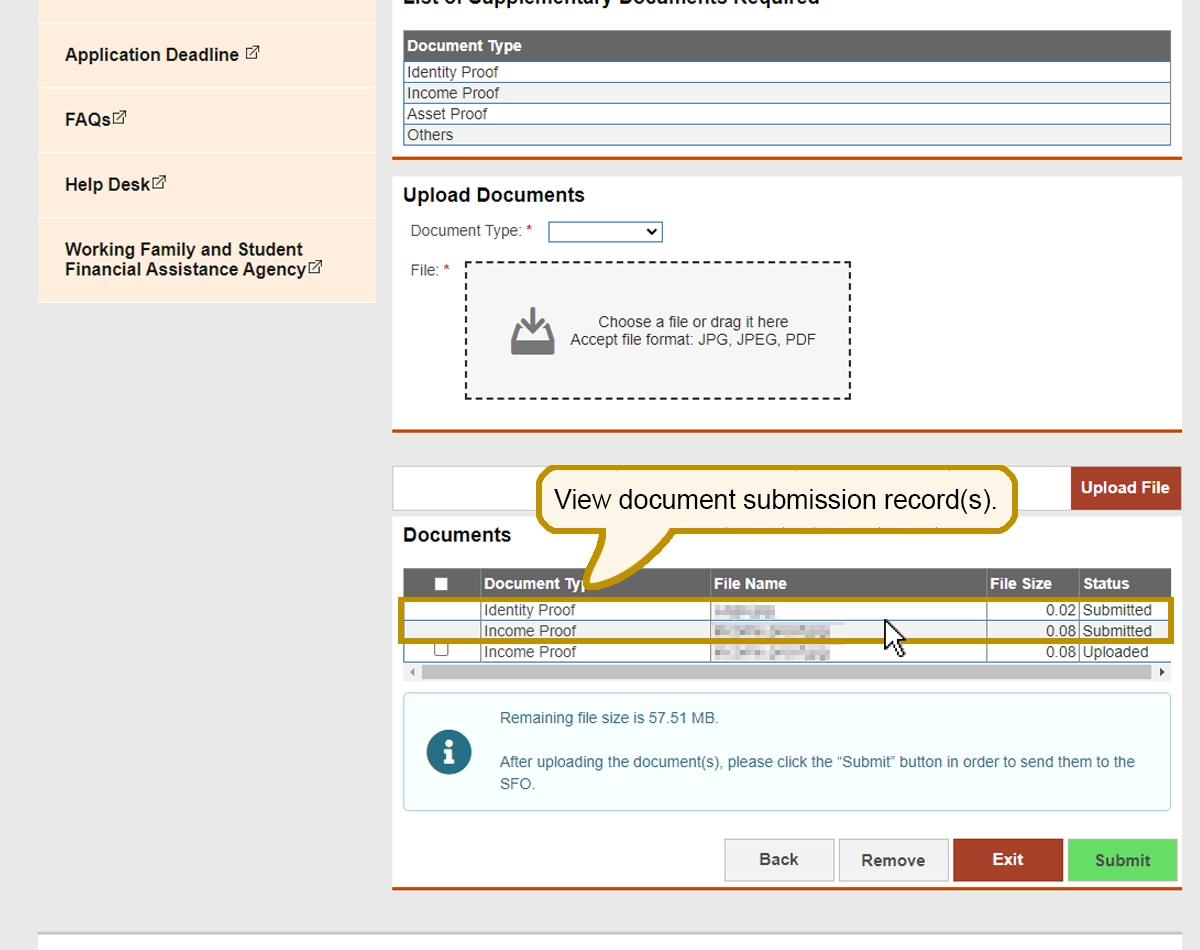
View document submission record(s).
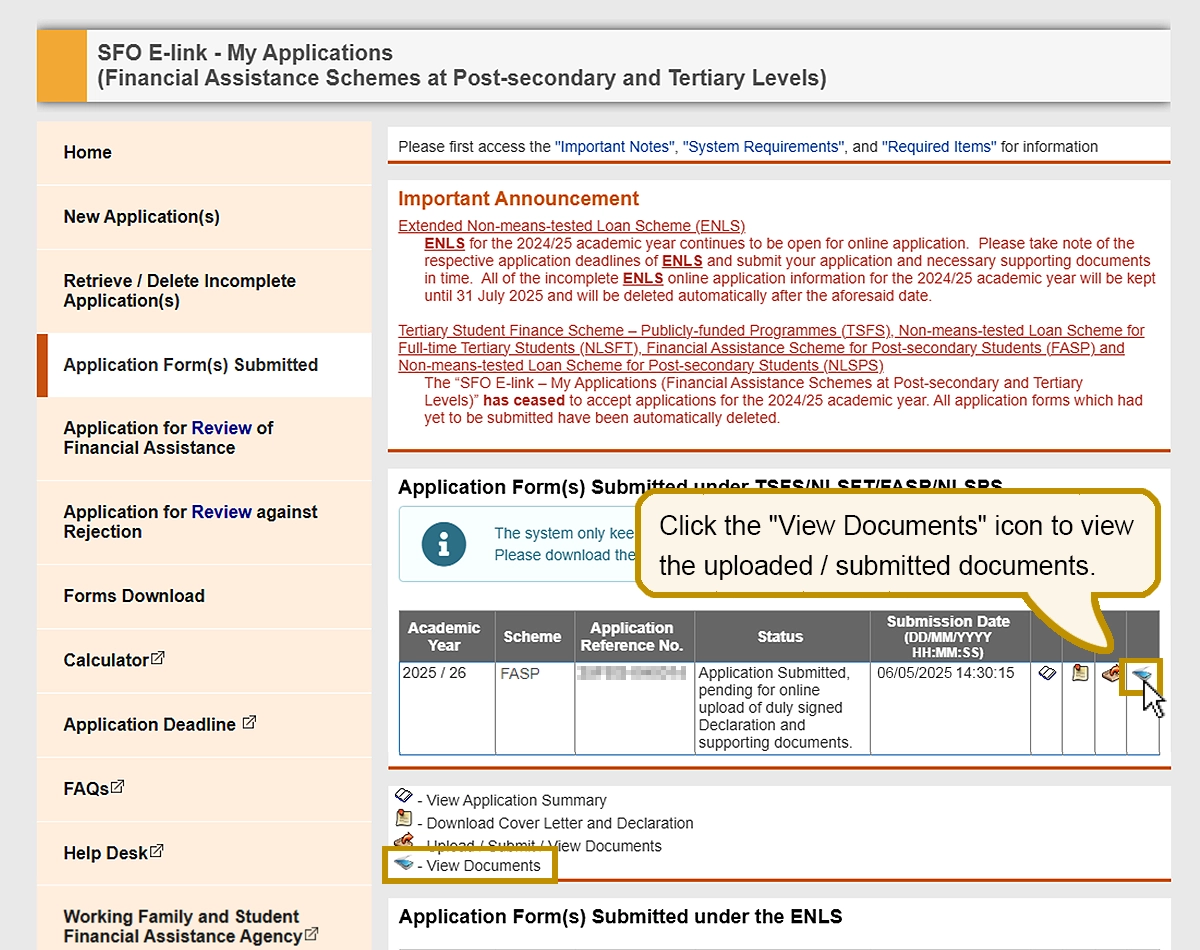
Click the “View Documents” icon to view the uploaded / submitted documents.