

Step 7 - Review Application Summary and Submit Application (Declaration Signed by Digital Signature)
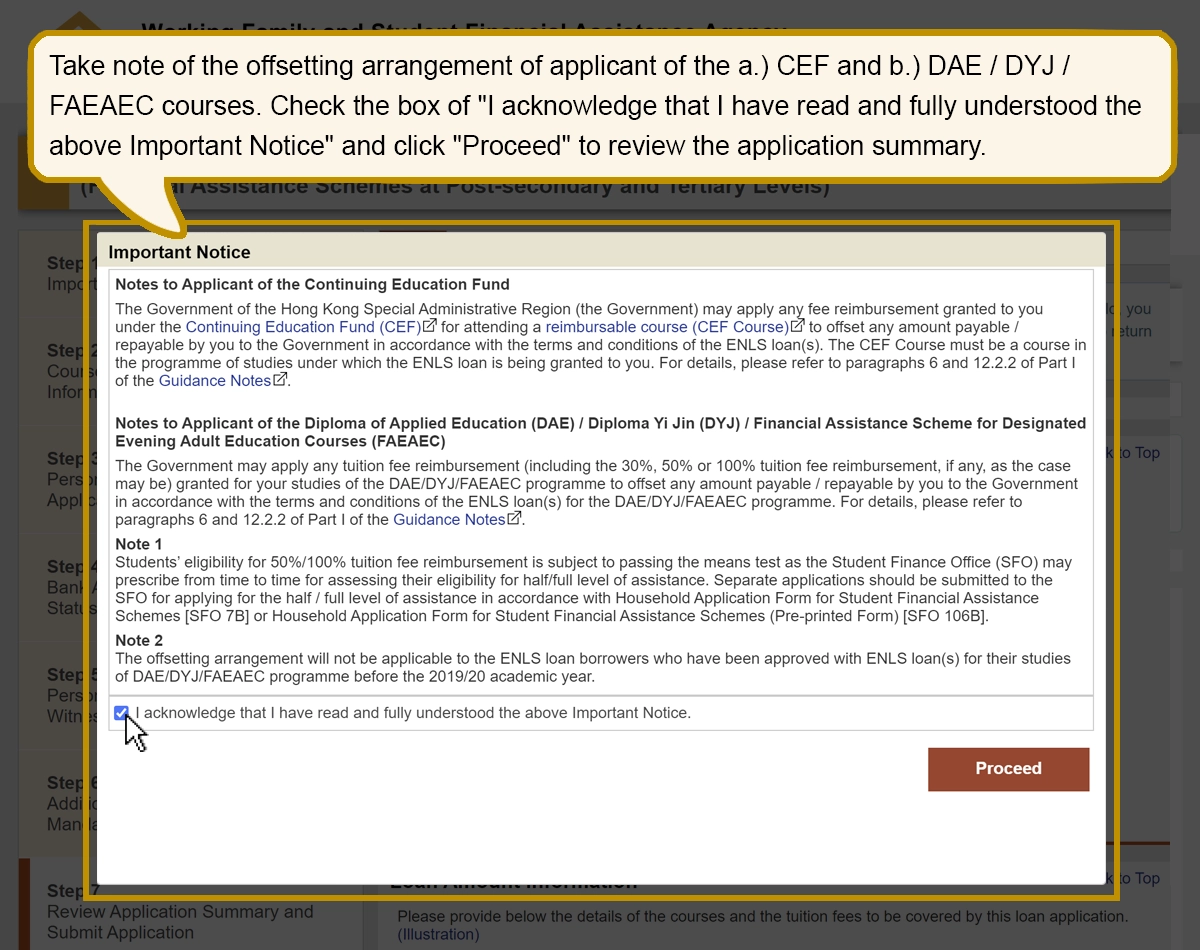
Take note of the offsetting arrangement of applicant of the a.) CEF and b.) DAE/DYJ/FAEAEC courses. Check the box of "I acknowledge that I have read and fully understood the above Important Notice" and click "Proceed" to review the application summary.
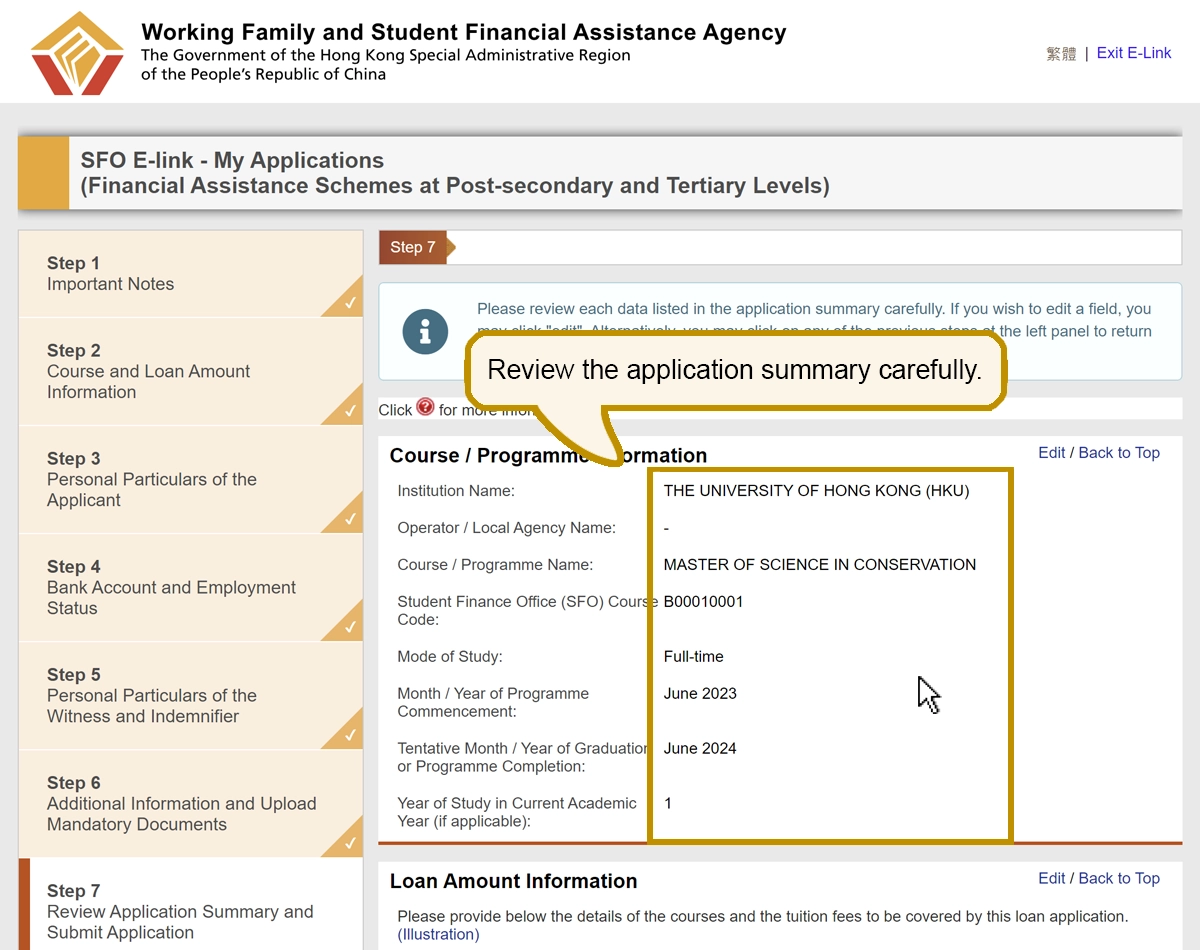
Review the application summary carefully.
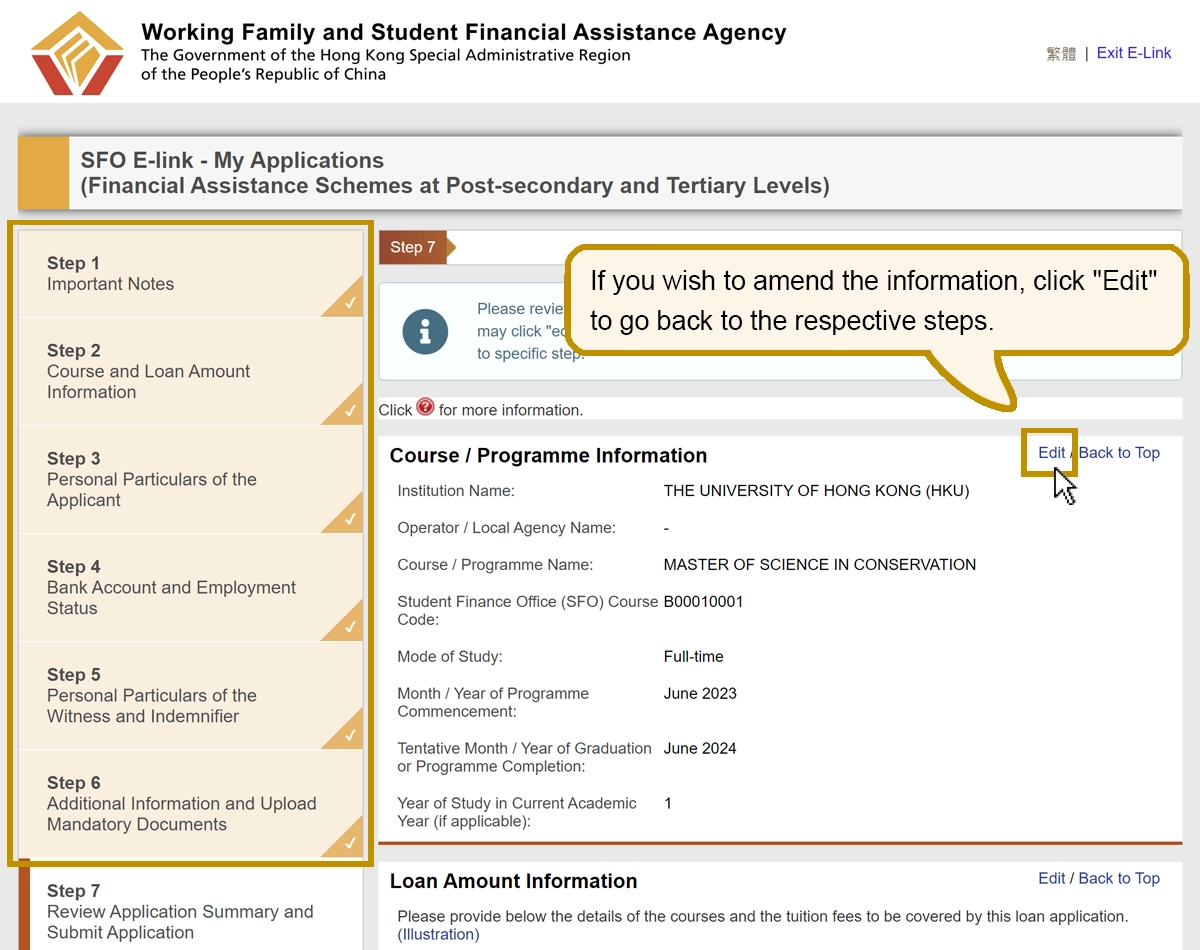
If you wish to amend the information, click "Edit" to go back to the respective steps.
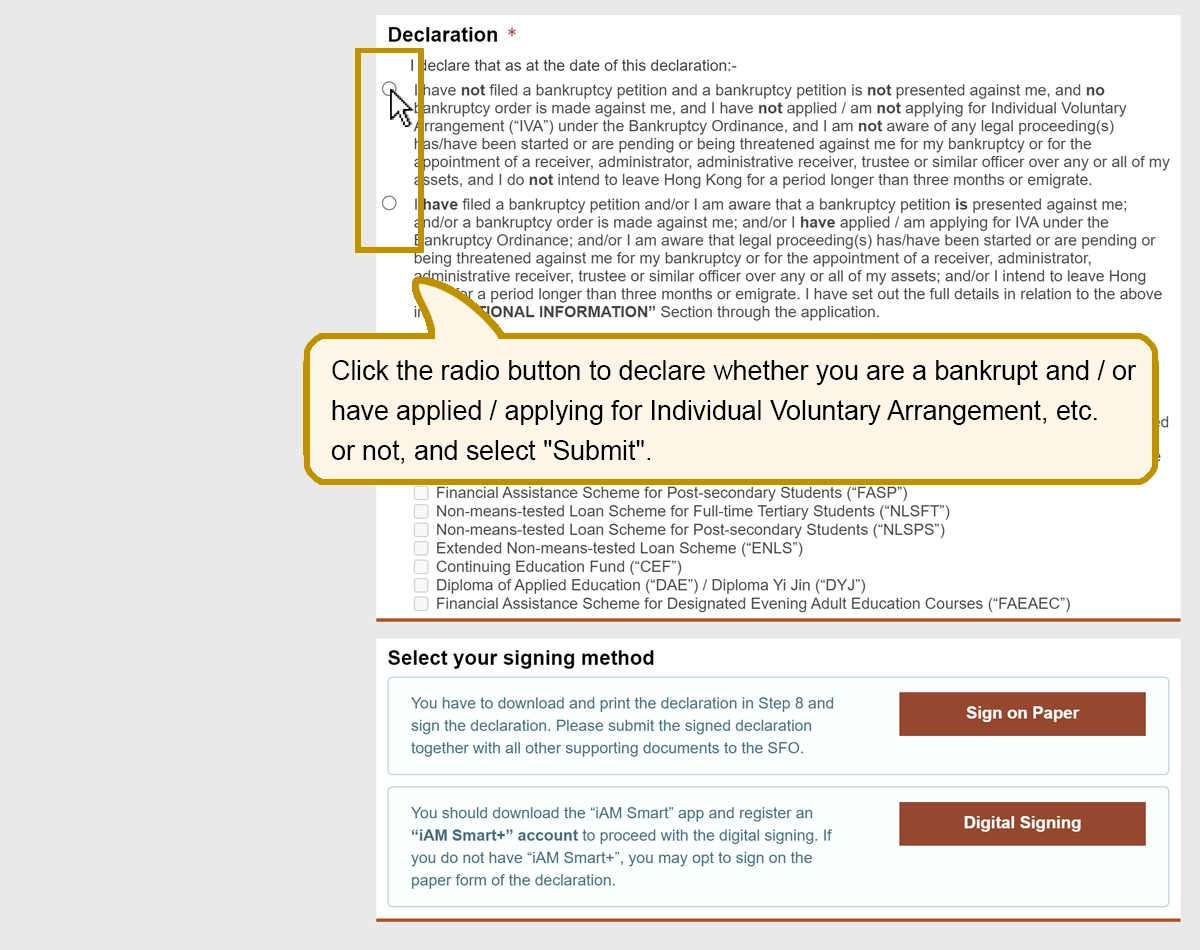
Click the radio button to declare whether you are a bankrupt and/or have applied/applying for Individual Voluntary Arrangement, etc. or not, and select "Submit".
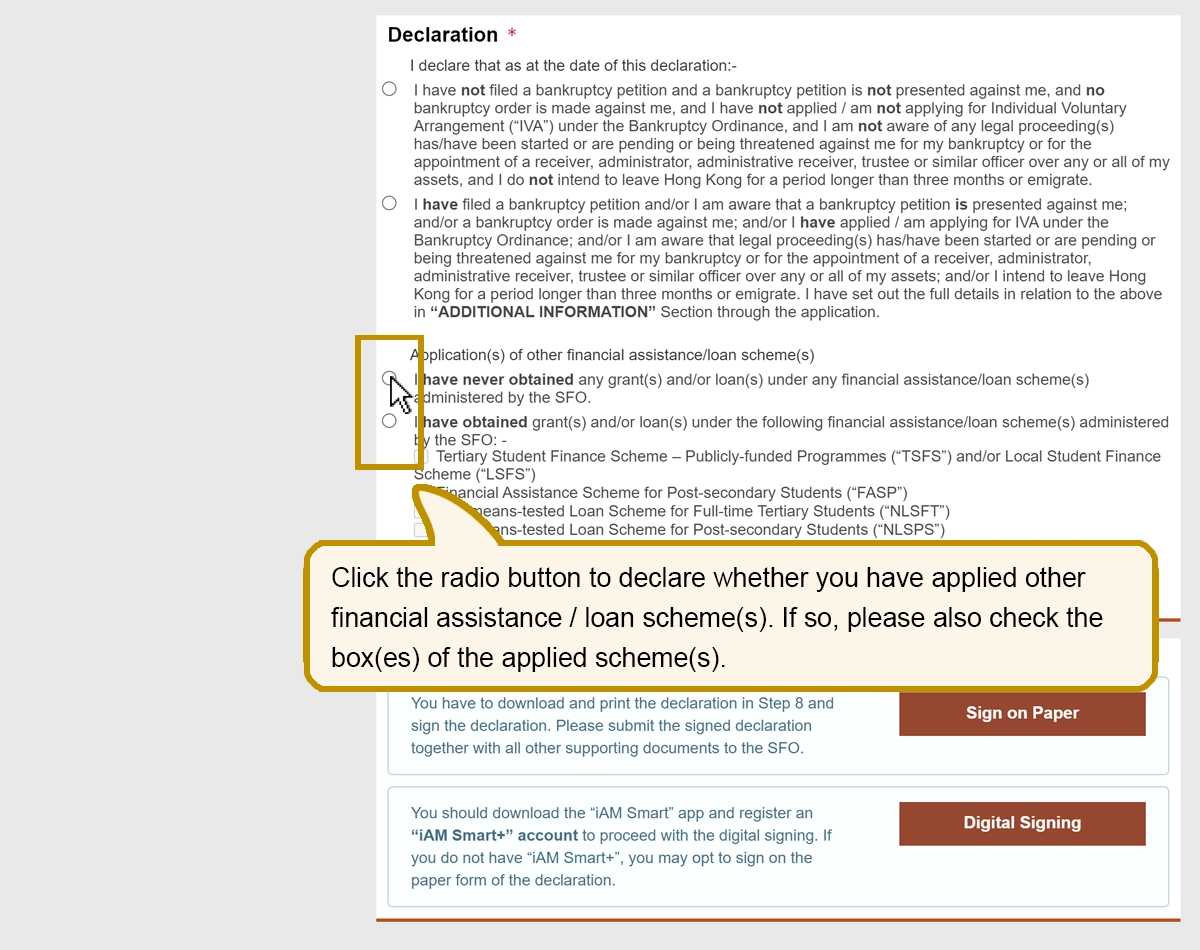
Click the radio button to declare whether you have applied other financial assistance/loan scheme(s). If so, please also check the box(es) of the applied scheme(s).
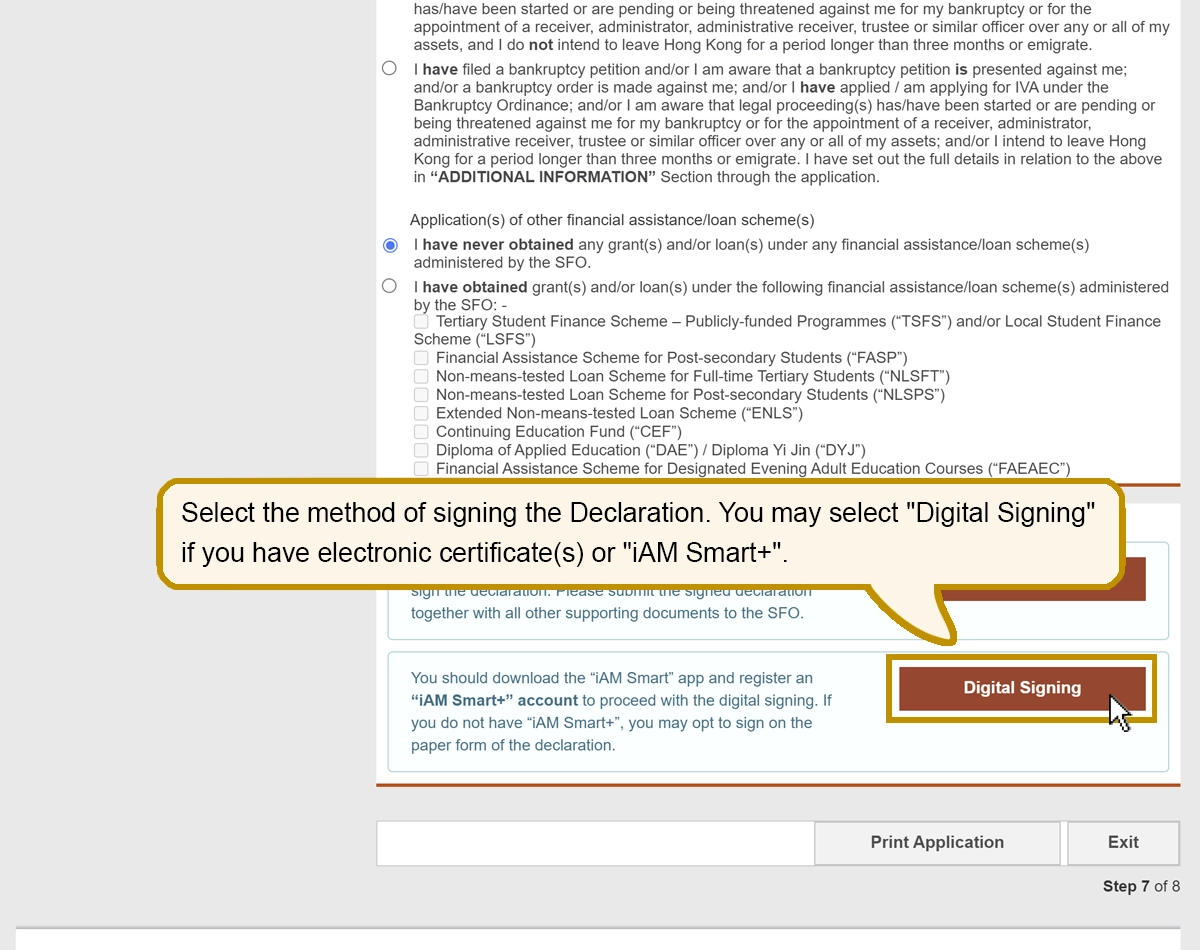
Select the method of signing the Declaration. You may select "Digital Signing" if you have electronic certificate(s) or "iAM Smart+".
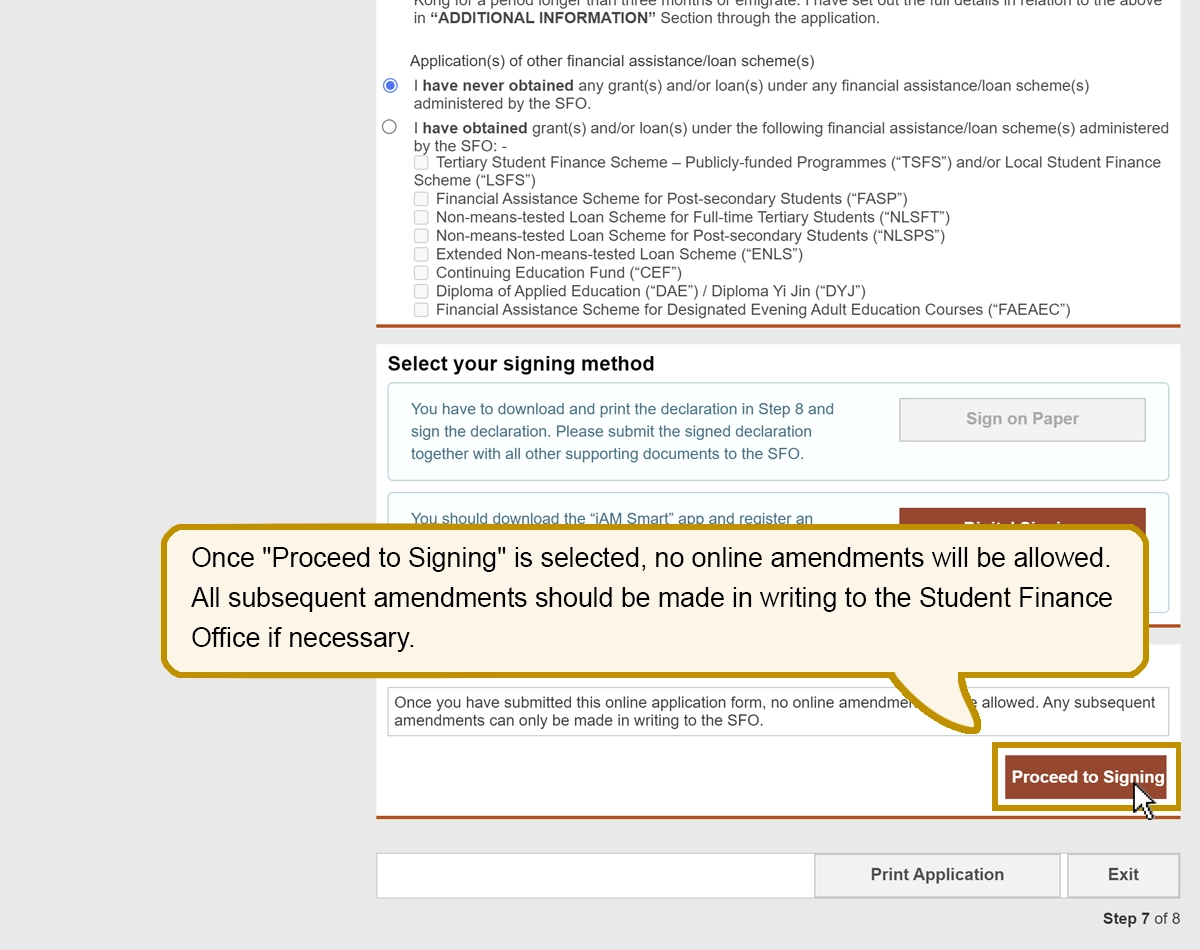
Once "Proceed to Signing" is selected, no online amendments will be allowed. All subsequent amendments should be made in writing to the Student Finance Office if necessary.
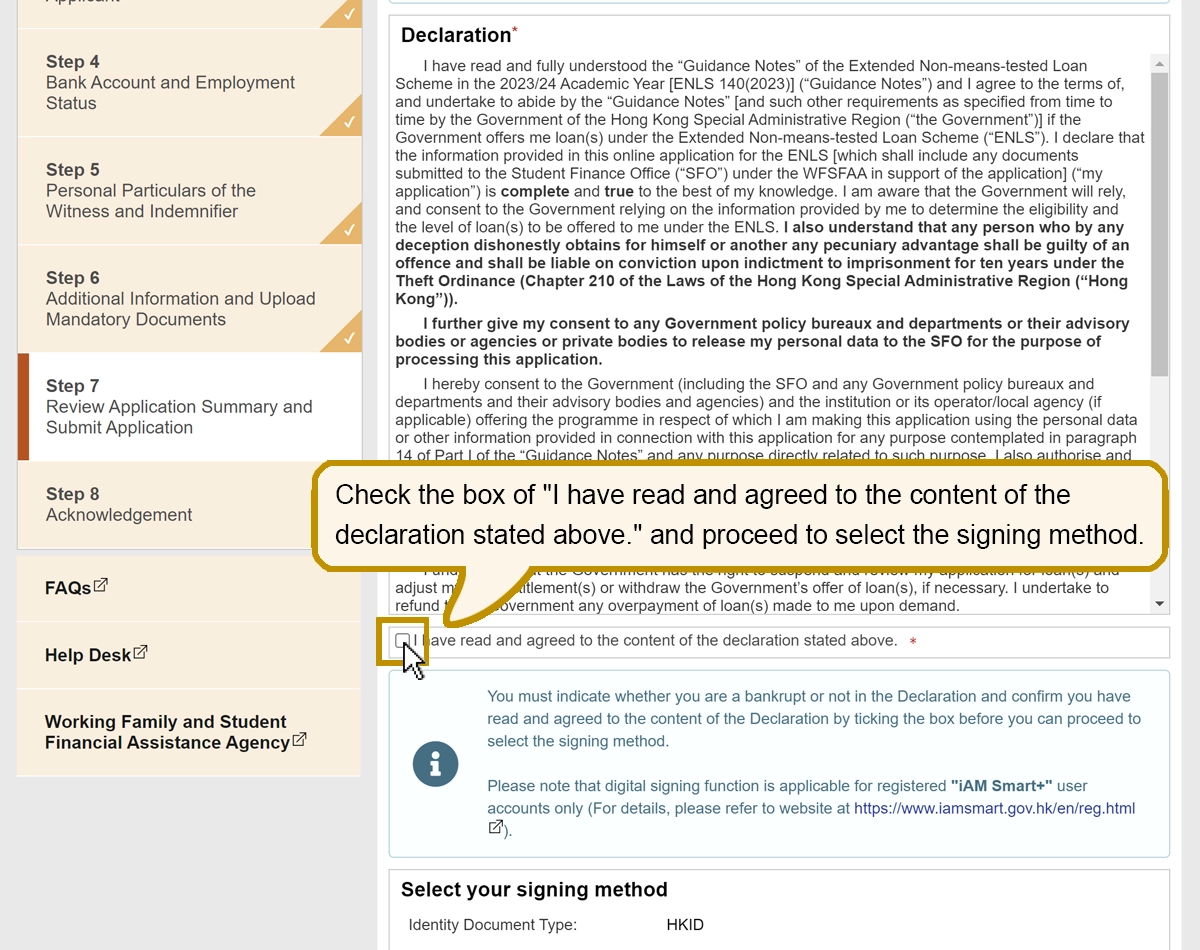
Check the box of "I have read and agreed to the content of the declaration stated above." and proceed to select the signing method.
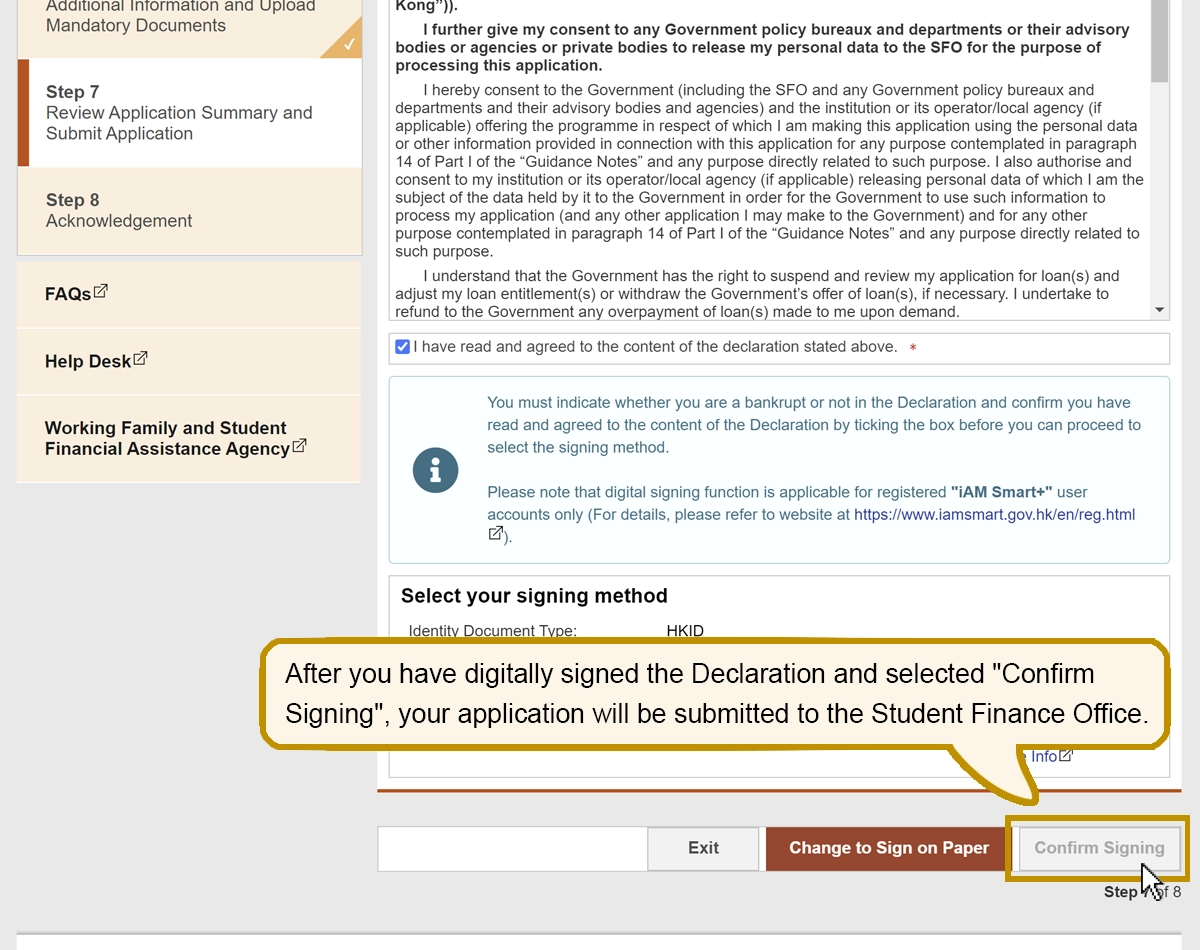
After you have digitally signed the Declaration and selected "Confirm Signing", your application will be submitted to the Student Finance Office.
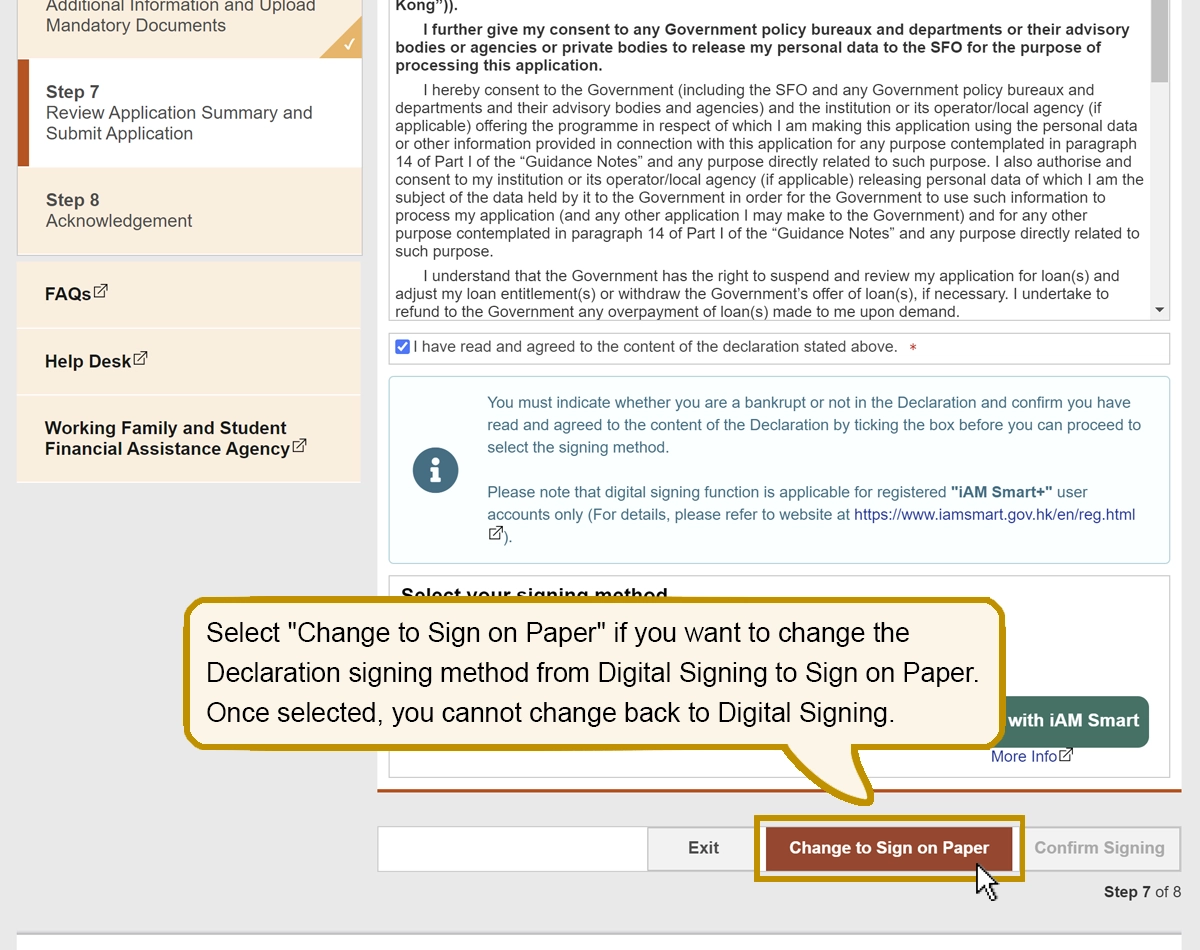
Select "Change to Sign on Paper" if you want to change the Declaration signing method from Digital Signing to Sign on Paper. Once selected, you cannot change back to Digital Signing.